
AI Service Settings
Overview
In AITuberKit, you can select and use various AI services (OpenAI, Anthropic, Google Gemini, etc.). These settings allow you to select the AI service and model to use, set API keys, and more.
Supported AI Services
AITuberKit supports the following AI services:
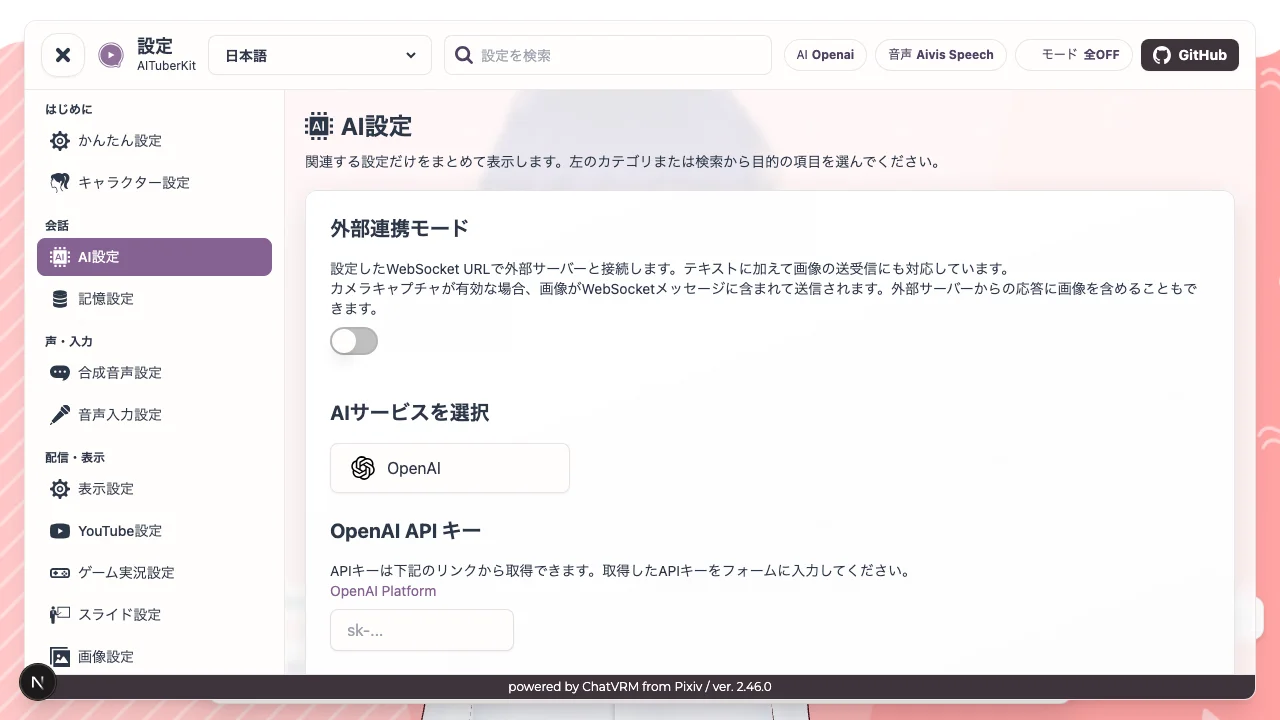
- OpenAI - Provides high-performance models such as GPT-5.6, GPT-5.5, GPT-5.4, GPT-5.3, GPT-5.2, GPT-5.1, GPT-4.1
- Anthropic - Provides Claude Opus 4.6, Claude Sonnet 4.6, etc.
- Google Gemini - Provides Gemini 3.1, Gemini 3, Gemini 2.5 series, etc.
- Azure OpenAI - OpenAI models on the Azure platform
- xAI - Provides Grok models
- Groq - Provides various models specialized for fast inference
- Cohere - Provides Command-R series
- Mistral AI - Provides Mistral Large, Open Mistral, etc.
- Perplexity - Provides Sonar series
- Fireworks - Provides optimized implementations of Llama, Mixtral, etc.
- DeepSeek - Provides DeepSeek Chat, DeepSeek Reasoner
- OpenRouter - Provides a wide range of models
- OrcaRouter - Provides a wide range of models (v2.79.0 and later)
- API Route - Provides a wide range of models through an OpenAI-compatible API (v2.79.0 and later)
- LM Studio - Provides a local LLM execution environment
- Ollama - Provides a local LLM execution environment
- Dify - Custom chatbot building platform
- Custom API - Use your own API
Most AI services allow you to select models from predefined choices, but if you want to use a custom model, please enable "Use Custom Model".
Model Selection Icons
In model selectors, emoji may appear next to model names to indicate supported capabilities.
| Icon | Meaning |
|---|---|
| 📷 | Supports image input |
| 🔍 | Supports search. Currently shown for Google Gemini models that support Search Grounding |
| 💡 | Supports reasoning. Reasoning effort levels or reasoning token budgets may apply |
OpenAI
# OpenAI API Key
OPENAI_API_KEY=sk-...
Supported Models:
- gpt-5.6-sol
- gpt-5.6-terra
- gpt-5.6-luna
- gpt-5.5
- gpt-5.5-2026-04-23
- gpt-5.4-pro
- gpt-5.4-pro-2026-03-05
- gpt-5.4
- gpt-5.4-2026-03-05
- gpt-5.4-mini (default)
- gpt-5.4-mini-2026-03-17
- gpt-5.4-nano
- gpt-5.4-nano-2026-03-17
- gpt-5.3-chat-latest
- gpt-5.3-codex
- gpt-5.2-pro
- gpt-5.2-pro-2025-12-11
- gpt-5.2-chat-latest
- gpt-5.2
- gpt-5.2-2025-12-11
- gpt-5.2-codex
- gpt-5.1-codex-mini
- gpt-5.1-codex
- gpt-5.1-codex-max
- gpt-5.1-chat-latest
- gpt-5.1
- gpt-5.1-2025-11-13
- gpt-5-pro
- gpt-5-pro-2025-10-06
- gpt-5
- gpt-5-2025-08-07
- gpt-5-mini
- gpt-5-mini-2025-08-07
- gpt-5-nano
- gpt-5-nano-2025-08-07
- gpt-5-codex
- gpt-5-chat-latest
- gpt-4.1
- gpt-4.1-2025-04-14
- gpt-4.1-mini
- gpt-4.1-mini-2025-04-14
- gpt-4.1-nano
- gpt-4.1-nano-2025-04-14
- gpt-4o
- gpt-4o-2024-05-13
- gpt-4o-2024-08-06
- gpt-4o-2024-11-20
- gpt-4o-mini
- gpt-4o-mini-2024-07-18
- gpt-3.5-turbo
- gpt-3.5-turbo-0125
- gpt-3.5-turbo-1106
- o4-mini
- o4-mini-2025-04-16
- o3
- o3-2025-04-16
- o3-mini
- o3-mini-2025-01-31
- o1
- o1-2024-12-17
Getting an API Key: API keys can be obtained from OpenAI's API keys page.
Anthropic
# Anthropic API Key
ANTHROPIC_API_KEY=sk-ant-...
Supported Models:
- claude-opus-4-6
- claude-sonnet-4-6 (default)
- claude-opus-4-5
- claude-opus-4-1
- claude-opus-4-0
- claude-sonnet-4-5
- claude-sonnet-4-0
- claude-haiku-4-5
Getting an API Key: API keys can be obtained from the Anthropic Console.
Google Gemini
# Google Gemini API Key
GOOGLE_API_KEY=...
Supported Models:
- gemini-3.5-flash
- gemini-3.5-flash-lite
- gemini-3.1-pro-preview
- gemini-3.1-flash-image-preview
- gemini-3.1-flash-lite-preview
- gemini-3-pro-preview
- gemini-3-pro-image-preview
- gemini-3-flash-preview
- gemini-2.5-pro
- gemini-2.5-flash (default)
- gemini-2.5-flash-lite
- gemini-2.5-flash-lite-preview-06-17
- gemini-2.0-flash
Getting an API Key: API keys can be obtained from Google AI Studio.
Google Search Grounding Feature
With Google Gemini, you can use the "Search Grounding" feature, which utilizes real-time web searches when generating AI responses. Search is passed to the model as a Google Search tool, and the model decides whether to actually search. The dynamic threshold (NEXT_PUBLIC_DYNAMIC_RETRIEVAL_THRESHOLD) is a setting for Gemini 1.5. It has no effect on the currently supported models, and from v2.79.0 it is no longer sent to the server.
# Enable Search Grounding feature
NEXT_PUBLIC_USE_SEARCH_GROUNDING=true
# Dynamic threshold for Search Grounding feature (for Gemini 1.5; not used by the currently supported models)
NEXT_PUBLIC_DYNAMIC_RETRIEVAL_THRESHOLD=0.3
TIP
The Search Grounding feature is available with Google Gemini 3.5/3.1/3 series, Gemini 2.5 series, and Gemini 2.0 Flash models.
Azure OpenAI
# Azure OpenAI API Key
AZURE_API_KEY=...
# Azure OpenAI Endpoint
AZURE_ENDPOINT="https://RESOURCE_NAME.openai.azure.com/openai/deployments/DEPLOYMENT_NAME/chat/completions?api-version=API_VERSION"
Getting an API Key: API keys can be obtained from the Azure Portal.
xAI
# xAI API Key
XAI_API_KEY=...
Supported Models:
- grok-4.5
- grok-4-1-fast-reasoning
- grok-4-1-fast-non-reasoning
- grok-4-fast-non-reasoning
- grok-4-fast-reasoning
- grok-4.20-0309-non-reasoning
- grok-4.20-0309-reasoning
- grok-4.20-multi-agent-0309
- grok-code-fast-1
- grok-4 (default)
- grok-4-0709
- grok-4-latest
- grok-3
- grok-3-latest
- grok-3-mini
- grok-3-mini-latest
Getting an API Key: API keys can be obtained from the xAI Dashboard.
Groq
# Groq API Key
GROQ_API_KEY=...
Supported Models:
- gemma2-9b-it
- llama-3.1-8b-instant
- llama-3.3-70b-versatile (default)
- meta-llama/llama-guard-4-12b
- deepseek-r1-distill-llama-70b
- meta-llama/llama-4-maverick-17b-128e-instruct
- meta-llama/llama-4-scout-17b-16e-instruct
- meta-llama/llama-prompt-guard-2-22m
- meta-llama/llama-prompt-guard-2-86m
- moonshotai/kimi-k2-instruct-0905
- qwen/qwen3-32b
- llama-guard-3-8b
- llama3-70b-8192
- llama3-8b-8192
- mixtral-8x7b-32768
- qwen-qwq-32b
- qwen-2.5-32b
- deepseek-r1-distill-qwen-32b
- openai/gpt-oss-20b
- openai/gpt-oss-120b
Getting an API Key: API keys can be obtained from the Groq Dashboard.
Cohere
# Cohere API Key
COHERE_API_KEY=...
Supported Models:
- command-a-03-2025 (default)
- command-a-reasoning-08-2025
- command-r7b-12-2024
- command-r-plus-04-2024
- command-r-plus
- command-r-08-2024
- command-r-03-2024
- command-r
- command
- command-nightly
- command-light
- command-light-nightly
Getting an API Key: API keys can be obtained from the Cohere Dashboard.
Mistral AI
# Mistral AI API Key
MISTRALAI_API_KEY=...
Supported Models:
- pixtral-large-latest
- mistral-large-latest (default)
- mistral-medium-latest
- mistral-medium-2508
- mistral-medium-2505
- mistral-small-latest
- magistral-small-2507
- magistral-medium-2507
- magistral-small-2506
- magistral-medium-2506
- ministral-3b-latest
- ministral-8b-latest
- pixtral-12b-2409
- open-mistral-7b
- open-mixtral-8x7b
- open-mixtral-8x22b
Getting an API Key: API keys can be obtained from the Mistral AI Dashboard.
Perplexity
# Perplexity API Key
PERPLEXITY_API_KEY=...
Supported Models:
- sonar-deep-research
- sonar-reasoning-pro
- sonar-reasoning
- sonar-pro (default)
- sonar
Getting an API Key: API keys can be obtained from the Perplexity Dashboard.
Fireworks
# Fireworks API Key
FIREWORKS_API_KEY=...
Supported Models:
- accounts/fireworks/models/firefunction-v1
- accounts/fireworks/models/deepseek-r1
- accounts/fireworks/models/deepseek-v3
- accounts/fireworks/models/llama-v3p1-405b-instruct
- accounts/fireworks/models/llama-v3p1-8b-instruct
- accounts/fireworks/models/llama-v3p2-3b-instruct
- accounts/fireworks/models/llama-v3p3-70b-instruct
- accounts/fireworks/models/mixtral-8x7b-instruct
- accounts/fireworks/models/mixtral-8x7b-instruct-hf
- accounts/fireworks/models/mixtral-8x22b-instruct
- accounts/fireworks/models/qwen2p5-coder-32b-instruct
- accounts/fireworks/models/qwen2p5-72b-instruct
- accounts/fireworks/models/qwen-qwq-32b-preview
- accounts/fireworks/models/qwen2-vl-72b-instruct
- accounts/fireworks/models/llama-v3p2-11b-vision-instruct
- accounts/fireworks/models/qwq-32b
- accounts/fireworks/models/yi-large
- accounts/fireworks/models/kimi-k2-instruct
- accounts/fireworks/models/kimi-k2-thinking
- accounts/fireworks/models/kimi-k2p5
- accounts/fireworks/models/minimax-m2
Getting an API Key: API keys can be obtained from the Fireworks Dashboard.
DeepSeek
# DeepSeek API Key
DEEPSEEK_API_KEY=...
Supported Models:
- deepseek-chat
- deepseek-reasoner
Getting an API Key: API keys can be obtained from the DeepSeek Platform.
OpenRouter
# OpenRouter API Key
OPENROUTER_API_KEY=...
Supported Models:
See OpenRouter Models.
Getting an API Key: API keys can be obtained from the OpenRouter Dashboard.
OrcaRouter (v2.79.0 and later)
# OrcaRouter API Key
ORCAROUTER_API_KEY=...
OrcaRouter is registered as an OpenAI-compatible provider and communicates through the Chat Completions API (/v1/chat/completions).
Supported Models:
Enter a model ID directly (e.g. openai/gpt-4o-mini, anthropic/claude-sonnet-4). See the models page on OrcaRouter for available models.
To send images, specify a model that supports images and enable the "Use multimodal" setting.
Getting an API Key: API keys can be obtained from OrcaRouter.
API Route (v2.79.0 and later)
# API Route API Key (server only)
APIROUTE_API_KEY=...
API Route is registered as an OpenAI-compatible provider and communicates with https://global.api-route.com/v1.
Supported Models:
Enter a model ID available to your API key directly (e.g. gpt-6.1-sol). You can check the IDs with an authenticated GET https://global.api-route.com/v1/models request. Use the returned ID as is, without adding a provider prefix.
To send images, specify a model that supports images and enable the "Use multimodal" setting.
Getting an API Key: API keys can be obtained from the API Route Dashboard.
TIP
APIROUTE_API_KEY is a server-only environment variable. It is used when no API key is entered in the settings screen, and in that case the access control described in Server-Side Secret Environment Variables applies.
LM Studio, Ollama
# Local LLM URL
# ex. LM Studio: http://localhost:1234/v1/chat/completions
# ex. Ollama: http://localhost:11434/v1/chat/completions
NEXT_PUBLIC_LOCAL_LLM_URL=""

# Origins for local LLMs hosted on other machines (comma-separated)
AITUBERKIT_ALLOWED_LLM_SERVER_ORIGINS=""
To use a local LLM, you need to set up and start a separate server. Loopback URLs on the same machine are available even in the default disabled mode. To connect to LM Studio or Ollama on another host, add its origin to AITUBERKIT_ALLOWED_LLM_SERVER_ORIGINS.
Ollama supports reasoning mode when using reasoning-capable models or custom models. The available reasoning levels are none / low / medium / high.
Setup Example: How to Set Up Ollama
Dify
Dify is a platform that allows you to easily build custom chatbots.
# Dify API Key
DIFY_API_KEY=""
# Dify API URL
DIFY_URL=""
Note
Dify only supports "Chatbot" or "Agent" type applications.
Also, when using Dify, the number of past messages to retain and system prompts need to be configured on the Dify side.
If you're not getting satisfactory responses, try deleting the conversation history before asking again.
Custom API
To use a custom API, set the following environment variables:
# Custom API URL
NEXT_PUBLIC_CUSTOM_API_URL=""
# Custom API Headers
NEXT_PUBLIC_CUSTOM_API_HEADERS=""
# Custom API Body
NEXT_PUBLIC_CUSTOM_API_BODY=""
# Enable system messages in custom API (true/false)
NEXT_PUBLIC_INCLUDE_SYSTEM_MESSAGES_IN_CUSTOM_API=true
# Include MIME type in image objects (true/false)
NEXT_PUBLIC_CUSTOM_API_INCLUDE_MIME_TYPE=true
Server-Side Secret Environment Variables
If you don't want to expose API keys or endpoints to the browser, you can use server-side only environment variables. These take priority over their NEXT_PUBLIC_ counterparts.
# Controls whether anonymous API routes may use server-side API keys, CUSTOM_API_*, write APIs, or server resources
# disabled: default. Allow request-provided API keys only; reject server secrets and protected server resources
#           Local TTS/LLM loopback connections on the same machine remain available
# protected: require Authorization: Bearer AITUBERKIT_SERVER_SECRET_TOKEN
# demo: allow browser requests from allowed origins / same-origin only. Also require a demo token when AITUBERKIT_DEMO_ACCESS_TOKEN is set; pair with rate limits
# unprotected: legacy compatibility. Not recommended for public URLs
AITUBERKIT_SERVER_SECRET_ACCESS_MODE="disabled"

# Bearer token used in protected mode
AITUBERKIT_SERVER_SECRET_TOKEN=""

# Comma-separated origins allowed in demo mode. When omitted, only same-host origin is allowed
AITUBERKIT_ALLOWED_ORIGINS=""

# Optional demo-only token required as X-AITuberKit-Demo-Token in demo mode when set
AITUBERKIT_DEMO_ACCESS_TOKEN=""

# Simple demo-mode rate limit per IP and feature per minute. Pair with WAF/rate limits in production
AITUBERKIT_DEMO_RATE_LIMIT_PER_MINUTE="20"

# Set to true only when running behind a trusted proxy. Forwarded client IP headers are used for rate limiting only when true
AITUBERKIT_TRUST_PROXY_HEADERS="false"

# Origins for client-specified local TTS servers hosted on other machines (comma-separated)
AITUBERKIT_ALLOWED_TTS_SERVER_ORIGINS=""

# Origins for client-specified LM Studio/Ollama servers hosted on other machines (comma-separated)
AITUBERKIT_ALLOWED_LLM_SERVER_ORIGINS=""

# Forward Custom API reasoning/provider metadata to clients (false is recommended)
AITUBERKIT_FORWARD_CUSTOM_API_METADATA="false"

# Custom API URL (server-side secret, takes priority over NEXT_PUBLIC version)
CUSTOM_API_URL=""
# Custom API headers (server-side secret, merged over frontend settings)
CUSTOM_API_HEADERS=""
# Custom API body (server-side secret, merged over frontend settings)
CUSTOM_API_BODY=""
Priority
- URL: When
CUSTOM_API_URLis set, it takes priority overNEXT_PUBLIC_CUSTOM_API_URL - Headers/Body: Server-side environment variable values are merged over the frontend settings
Public URLs
APIs that use server-side secrets such as CUSTOM_API_* or OPENAI_API_KEY are rejected by default with AITUBERKIT_SERVER_SECRET_ACCESS_MODE="disabled". Local TTS/LLM loopback connections on the same machine remain available as an exception. For public demos, configure demo with AITUBERKIT_ALLOWED_ORIGINS. For external apps or administrative use, configure protected with AITUBERKIT_SERVER_SECRET_TOKEN. unprotected exists for legacy compatibility and is not recommended for public URLs.
Session ID (threadId) Auto-Send
When using the custom API, a unique session ID (UUID v4) is automatically generated per browser and sent as the threadId field in the request body.
- The session ID is stored in
localStorageand persists until cookies/site data are cleared - When conversation history is reset, the session ID is also automatically reset (a new ID is generated)
- It can be used by the external API for thread management or conversation continuity
- If not needed, simply ignore it on the external API side
Example request body:
{
  "threadId": "550e8400-e29b-41d4-a716-446655440000",
  "messages": [...],
  ...
}
Supported Formats
The custom API's SSE streaming responses are automatically normalized to Vercel AI SDK format from the following formats:
- OpenAI-compatible format: Responses containing
choices[0].delta.content payload.textformat: Some LLM-specific formats- Vercel AI SDK format: Passed through as-is
Additionally, choices[0].delta.reasoning_content in OpenAI-compatible format is converted to reasoning process data. You can display the thinking process from custom APIs by enabling "Show thinking process" in the settings.
Sending Image MIME Types
When multimodal input is enabled, NEXT_PUBLIC_CUSTOM_API_INCLUDE_MIME_TYPE controls whether the mimeType property is included in image objects. Enable this when the external API expects image input with a MIME type.
Note
Streaming mode is always enabled for this API. Please pay attention to the response format.
While we have tested with OpenAI-compatible APIs and some other APIs, we cannot guarantee operation with all APIs.
GPT-Live-1 (v2.77.0 and Later)
Enable GPT-Live-1 in the OpenAI settings to use bidirectional voice conversations with separate voice and reasoning models. For voices, reasoning models, web search, system prompts, and history behavior, see GPT-Live-1 Voice Conversations.